
In 2026, content creators, researchers, and marketers face a dual challenge: transcribing hours of audio/video quickly, and finding specific moments within terabytes of stored media. Doing this manually is a massive drain on productivity.
Enter Clipto (clipto.com), a powerful dual-threat AI platform. It combines industry-leading, 99% accurate cloud-based AI transcription with a groundbreaking, fully local natural language media search engine. Whether you need to turn a 6-hour podcast into text or find the exact second a specific person spoke in your local video archive, Clipto handles it seamlessly.
In this comprehensive review, we’ll break down Clipto pricing, explore its standout features, compare it to top competitors, and help you decide if it’s the right tool to supercharge your creative or research workflow.
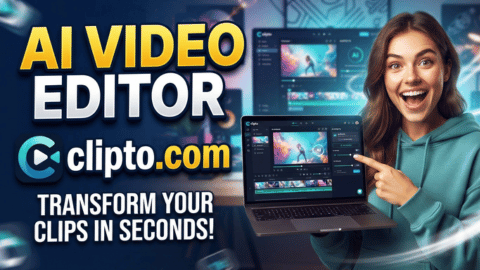 50% OFF
Clipto.com
50% OFF
What is Clipto?
Clipto is an AI-powered knowledge assistant designed for anyone who works with audio and video daily. It operates on two main fronts:
- Cloud AI Transcription: A fast, highly accurate tool that converts audio and video files into searchable text, complete with speaker identification and multi-language support .
- Local Media Search (Desktop App): A “Google Photos for your video archive” that runs 100% locally on your machine. It indexes your local drives, NAS, or cloud folders (like Dropbox/Google Drive) and lets you search for people, actions, dialogue, or scenes in plain English without uploading a single byte to the cloud .
Standout Features of Clipto
- 99% Transcription Accuracy: Clipto consistently delivers near-perfect transcription results for clear audio, outperforming many legacy tools in the market .
- Massive File Support: Unlike competitors that cap uploads at 30 minutes, Clipto allows you to process files up to 6 hours long or 6GB in size per session .
- 99+ Languages Supported: Break language barriers with support for over 99 languages, including English, Spanish, French, German, Japanese, and Chinese .
- Professional NLE Exports: Don’t just get a text file. Export your transcriptions directly into industry-standard formats like SRT, VTT, TXT, or even directly into Adobe Premiere Pro (
.prproj) and Final Cut Pro (.fcpxml) timelines . - 100% Private Local Search: For the desktop app, all AI processing runs locally on your device (optimized for M1+ Macs with 24GB+ memory). Your sensitive media never leaves your hard drive, ensuring total privacy and offline functionality .
Clipto Pricing Breakdown (2026)
Clipto offers a straightforward, unlimited subscription model. There are no per-minute fees or hidden credit systems, making it highly predictable for heavy users. All plans come with a 7-day free trial that you can cancel anytime hassle-free.
1. Monthly Plan – Best for Short-Term or Project-Based Needs
- Price: $9.99 for the first month, then $24.99/month afterward.
- Best for: Freelancers or students who need a powerful transcription tool for a specific, short-term project.
- Key Features:
- Unlimited video & audio transcription
- Automatic speech transcription & speaker identification
- Support for 99+ languages
- Analyze videos up to 6 hours long
- Access to advanced AI models
2. Yearly Plan – Best for Professionals & Teams (Most Popular)
- Price: $12.49/month (billed annually at $149.88/year) – Effectively 50% off the regular monthly rate.
- Best for: YouTubers, filmmakers, researchers, and agencies that use transcription and media search daily.
- Key Features:
- Everything in the Monthly plan, plus:
- Significant long-term cost savings
- Priority access to new features and advanced models
- Seamless integration with the local desktop media search app
💡 Pro Tip: If you only need to transcribe a single file occasionally, keep an eye out for Clipto’s occasional pay-per-file options, but for regular users, the Yearly plan offers unbeatable value at just ~$12.50/month for unlimited usage.
Clipto vs. The Competition
- Clipto vs. Transkriptor: While Transkriptor is a solid transcription tool, Clipto edges it out with superior support for massive 6-hour files, direct export to video editing software (Premiere/Final Cut), and the added bonus of a fully local media search engine .
- Clipto vs. Otter.ai: Otter.ai is great for live meeting notes but struggles with long-form, pre-recorded video files and lacks native video editing exports. Clipto is built specifically for heavy media workflows, offering much higher file limits and better multi-language support .
Pros and Cons of Clipto
✅ Pros:
- Unlimited Usage: No stressful credit counters or per-minute fees.
- Exceptional Accuracy: 99% accuracy rate with reliable speaker diarization (identification).
- Privacy-First Local Option: The desktop app’s fully local processing is a massive selling point for creators handling unreleased or sensitive footage.
- Creator-Friendly Exports: Direct export to Premiere Pro and Final Cut Pro saves video editors hours of manual syncing.
- Generous Free Trial: A full 7-day premium trial lets you test the limits risk-free.
❌ Cons:
- Hardware Requirements for Local Search: The fully local media search feature currently requires an M1+ Mac with 24GB+ RAM and macOS 15+, which may exclude Windows users or those with older hardware .
- Subscription Model: If you only need to transcribe one 10-minute file a month, a recurring subscription might feel like overkill compared to pay-as-you-go alternatives.
Final Verdict: Is Clipto Worth It?
Absolutely, especially for media professionals.
If you are a YouTuber, filmmaker, podcaster, or academic researcher, Clipto pays for itself after just one or two projects. The ability to transcribe a 6-hour interview with 99% accuracy and export it directly to your editing timeline is a game-changer. Furthermore, the addition of the fully local, natural language media search makes it a unique, all-in-one knowledge assistant that respects your privacy.
The Yearly Plan at $12.49/month is the sweet spot, offering premium features at a highly competitive price point compared to enterprise alternatives.
Ready to Stop Wasting Hours on Manual Transcription?
Turn your audio and video into searchable, actionable knowledge in seconds. Experience the speed and accuracy of Clipto for yourself.